FAB Bank Balance Check: Complete Guide to Checking Your Balance in the UAE
Checking a FAB bank balance should be simple, and for most people it is once they know where to look. The confusion usually starts when someone has more than one FAB product: a salary account, a Ratibi card, maybe a credit card too, each with its own login or portal. That overlap is where most FAB support calls start. This guide covers every FAB bank balance check method for 2026, plus registration and password reset, so you’re set up correctly the first time.
A FAB bank balance check lets you view the available funds in your First Abu Dhabi Bank account, salary account, credit card, or prepaid card. Check it through FAB’s online banking at bankfab.com, the FAB Mobile Banking app, the Payit wallet, an ATM, SMS, phone banking, or a branch visit. Prepaid and Ratibi cards use a separate system through the PPC Magnati portal, not the main banking app.
What Is a FAB Bank Balance Check?
A FAB bank balance check is the process of confirming how much money is available across any First Abu Dhabi Bank product, a current account, savings account, salary account, credit card, or prepaid card. Each product type shows its balance through a different channel, which is the main source of confusion. Some searches mistakenly call this an FB bank balance check; FAB is the correct short form for First Abu Dhabi Bank.
Most people only need one channel. The right one depends on which FAB product you’re checking, and once you know that, the rest of this guide narrows down fast.
FAB Bank Balance Check All Methods
FAB supports seven core ways to check a balance, and the best option depends on the product and what you have access to.
Online Banking (bankfab.com)
FAB’s online banking portal at bankfab.com gives the fullest view of your account, balance, transaction history, statements, and transfers all in one dashboard. Log in with your registered user ID and password, complete the security verification, and your balance loads on the main screen. If you haven’t already, you’ll need to register first, which we cover further down.
FAB Mobile Banking App
The FAB Mobile Banking app mirrors most of what online banking offers and is built for quick checks on the go. Log in with biometric authentication or your credentials, select the account or card, and your available balance appears instantly. For most customers, this becomes the default method within days of setup.
FAB Payit Wallet Balance Check
Payit is FAB’s own digital wallet, and it shows a balance that’s separate from your bank account. Link your FAB card or account inside the Payit app, and the wallet balance, transaction history, and transfer options sit on one screen. It suits people who already pay bills and send remittances from their phone.
Skip it if you want a quick account balance. Payit adds a second app and a second balance to track, which is more overhead than most people need. The FAB Mobile Banking app already covers that in fewer taps.
One point that trips up new users: money in Payit isn’t the same as money in your current account. A driver who loads AED 500 into Payit for fuel payments still sees that AED 500 leave his main account balance.
ATM
Insert your FAB card, enter your PIN, and select Balance Inquiry from the menu. Your balance appears on screen, with an option to print a receipt. No internet is needed. This makes ATMs a reliable fallback anywhere.
SMS Banking
SMS balance checking works for customers registered with FAB, using a format tied to their account. It’s a solid backup. It works well when you don’t have data access, though the app or online banking gives you more detail if you have the choice.
Phone Banking / Customer Care
Call FAB customer care, select the balance enquiry option, and verify your identity to hear your balance read out. It’s slower than digital methods, but it works when your card or login isn’t cooperating.
Branch Visit
A branch visit remains useful for anything beyond a simple balance check, disputes, card replacement, or account changes. Bring your Emirates ID for verification.
Comparison: Which Method Should You Use?
Here’s a quick side-by-side across all seven methods.
| Method | Needs Internet? | Speed | Best For |
| Online Banking (bankfab.com) | Yes | Instant | Full account view, statements |
| FAB Mobile App | Yes | Instant | Daily quick checks |
| Payit Wallet | Yes | Instant | Wallet funds, bill payments |
| ATM | No | Instant | No smartphone/internet |
| SMS Banking | Signal only | Under 1 minute | Weak data areas |
| Phone Banking | No | A few minutes | Card/login issues |
| Branch Visit | No | Same-day | Disputes, account changes |
Available Balance vs Ledger Balance: What’s the Difference?
Your available balance is the money you can spend right now. Your ledger balance is that same amount plus anything still pending, like an uncleared cheque or a hotel deposit hold. The two figures often differ for a day or two, and that gap causes more confusion than almost anything else in UAE banking.
Say a supervisor’s ledger balance reads AED 15,000, but an AED 2,000 hotel hold from a business trip hasn’t cleared yet. His available balance sits at AED 13,000. That number decides whether his card goes through at the till.
| Feature | Available balance | Ledger balance |
| What it includes | Funds you can spend now | Spendable funds plus pending items |
| Where you usually see it | App home screen, ATM screen | Full statement, ATM receipt |
| When it changes | Once a transaction clears | The moment a transaction starts |
Screens don’t always label these the same way. An ATM receipt may print both, while the app usually shows available balance by default. If your app and the ATM disagree, a pending hold is usually the reason, not an error.
FAB Salary Account Balance Check
A FAB bank salary check is one of the most-checked balance types, since confirming a wage deposit is often the first thing people do on payday. Online banking and the mobile app both show salary credits as soon as they are processed, though very early morning deposits can occasionally take an extra hour to reflect.
Say an office employee’s salary usually lands by 9 AM on payday. However, the app still shows yesterday’s balance at 9:15. Waiting another 30 minutes and refreshing usually resolves it before it’s worth calling support.
FAB Prepaid Card Balance Check (Ratibi)
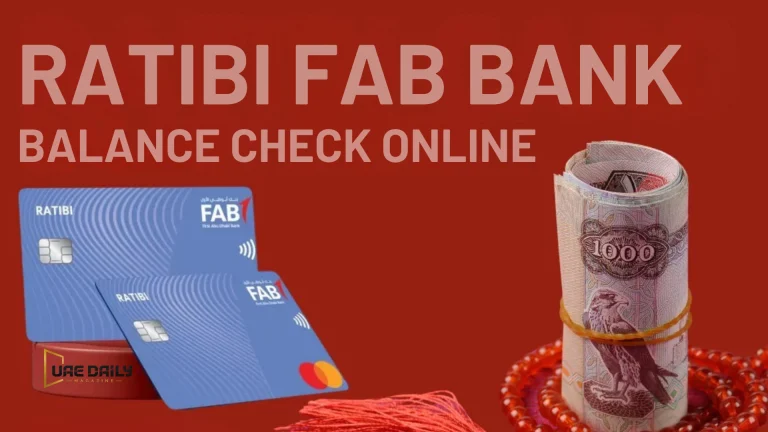
Ratibi and other FAB prepaid cards run through a separate system: the PPC Magnati portal, not the main FAB app. This is sometimes searched as a FAB bank prepaid card inquiry, though it’s the same balance-check action either way, and it trips up a lot of people expecting one login to cover everything.
To check a Ratibi balance, open the PPC Magnati inquiry portal, enter the last four digits printed on your card, complete the CAPTCHA, and submit. The portal returns your available balance and a short list of recent transactions. No login or registration is required, which is exactly why it works for workers who share one phone between roommates.
That same simplicity is also its limit. The portal shows a balance and very little else, so you can’t download a statement or raise a dispute from there. For anything beyond the number, you’ll need customer care or a branch visit.
A warehouse worker in Al Quoz checking his Thursday payday balance gets what he needs in about thirty seconds. A supervisor trying to reconcile three months of card spending won’t. For full setup steps and troubleshooting, see our Ratibi card balance check guide.
FAB Credit Card Balance Check
Credit card balances work a little differently, since you’re checking both an outstanding balance and an available credit limit rather than a simple deposit total. Both figures show on the same dashboard in online banking or the mobile app, alongside your payment due date.
Checking Your FAB Balance While Travelling
Online banking and the mobile app both work outside the UAE, so checking your FAB balance while travelling is usually no different from checking it at home. The main thing to do before you fly is confirm international access is enabled on your account, since some security settings flag logins from unfamiliar countries and temporarily lock access until you verify. A quick call to customer care before departure avoids that surprise.
How to Register for FAB Online Banking
If you haven’t set up online banking yet, registration typically takes a few minutes. Visit bankfab.com, select the registration option for online banking, and enter your account and ID details. You’ll verify with an OTP sent to your registered mobile number, then create your login credentials.
A common mistake is registering with a mobile number that isn’t the one on file with FAB. If the OTP never arrives, that mismatch is almost always the reason.
How to Reset Your FAB Online Banking Password
Forgotten passwords are common, so FAB built a straightforward self-service reset. From the login page, select Forgot Password, enter your account details, and verify through OTP before setting a new password. If that doesn’t work, customer care can reset it over the phone after verifying your identity.
Examples of FAB Bank Balance Check in Daily Use
- A government employee checks his FAB salary account through the app every payday morning before deciding whether to book a flight home that month.
- A small business owner logs into bankfab.com from her office computer to confirm the current account balance before approving a supplier payment.
- A student with a FAB credit card checks the outstanding balance through the app before making a large purchase to avoid exceeding the limit.
- A retail worker uses an ATM to check his Ratibi balance between shifts, since he doesn’t carry a smartphone with mobile data at work.
- A frequent traveller registers for FAB online banking specifically so she can check balances and pay bills while abroad without needing a UAE SIM.
Common FAB Bank Balance Check Problems & Fixes
Login failures usually stem from an incorrect password or an outdated app version, and updating the app or resetting the password clears most of them. A balance that looks wrong is often just a pending transaction that hasn’t posted yet, so wait a few hours and recheck before contacting support. If SMS balance requests go unanswered, confirm your registered mobile number is current, since a changed or unregistered number is the most common cause.
Payit and other linked wallet apps sometimes lag. If a wallet shows an outdated figure, it’s almost always a sync delay rather than an actual account problem, and reopening the app usually refreshes it. Holders of other UAE salary cards run into the same lag for the same reason.
FAB Bank Balance Check Security Tips
Never share your online banking password, OTP, or PIN with anyone, including callers claiming to be from FAB. The bank will never ask for these over the phone. Stick to bankfab.com and the official FAB Mobile Banking app rather than third-party sites offering a “quick balance check.” Enable biometric login where possible. Log out of online banking sessions on shared or public computers.
Frequently Asked Questions
How do I check my FAB bank balance online?
Log in to bankfab.com or the FAB Mobile Banking app with your registered credentials, and your balance appears on your account dashboard immediately. Both work around the clock without needing a branch visit.
Can I check my FAB balance without internet?
Yes, an ATM balance inquiry works without any internet connection, and SMS banking needs only mobile signal rather than data. Phone banking is also available without internet access.
Why is my FAB prepaid card balance check different from my bank account balance?
FAB prepaid and Ratibi cards run through the separate PPC Magnati portal rather than the main FAB banking app or website. Your regular bank account balance and your prepaid card balance are checked through entirely different systems.
Why does my FAB balance look different on the app and at the ATM?
One screen shows your available balance, while the other shows your ledger balance. Once the pending hold clears, both figures usually match again within a day or two.
Is my Payit wallet balance the same as my FAB account balance?
No. Payit holds only the funds you’ve loaded into the wallet, and your main FAB account balance stays separate until you actively transfer money between the two.
Is a FAB balance check the same as an AFB or FIB balance check?
Yes, those are just common misspellings. FAB stands for First Abu Dhabi Bank, and every method in this guide applies no matter which spelling brought you here.
How do I register for FAB online banking?
Visit bankfab.com, select the online banking registration option, enter your account and ID details, then complete OTP verification. The registered mobile number must match the one FAB has on file, or the OTP won’t arrive.
What do I do if I forget my FAB online banking password?
Select Forgot Password on the login page, verify your identity through OTP, and set a new password. Customer care can also reset it over the phone if the online option doesn’t work.
Is it safe to check my FAB balance through third-party websites?
No, you should only check your balance through bankfab.com or the official FAB Mobile Banking app. Third-party sites that ask for your account or card details are a common way personal data is collected without authorisation.
Can I check my FAB bank balance while travelling outside the UAE?
Yes, both online banking and the mobile app work internationally, though it’s worth confirming international access is enabled before you travel. Some accounts temporarily lock unfamiliar logins for security, which a quick call to customer care can prevent.
What to Do Next
Pick one method and set it up properly today. If you bank with FAB day to day, install the mobile app and switch on biometric login, since that’s the fastest route for most people. Ratibi cardholders should bookmark the PPC portal instead and skip the app entirely.
Then check one thing: is the mobile number FAB has on file still yours? Almost every failed OTP traces back to an old number, and fixing it takes one call to customer care.