PPC FAB Balance Check: Complete Guide to Prepaid & NBAD Cards
PPC FAB is the term most people search for when their prepaid salary card balance doesn’t add up. It simply stands for Prepaid Card, and it’s the system behind every FAB and legacy NBAD prepaid salary card in the UAE. In my experience helping people sort out UAE prepaid card questions, most of the confusion comes from old branding that never fully disappeared. This guide covers PPC FAB balance checks for every card type, method, and the exact portal you need, no vague “visit the official website” instructions.
A PPC FAB balance check lets you view the available funds on any FAB or legacy NBAD prepaid salary card. Check it through the PPC Magnati portal at ppc.magnati.com, the FAB Mobile Banking app, an ATM, SMS, phone banking, or a branch visit. PPC stands for Prepaid Card, and the system covers Ratibi, NBAD legacy, Nafis, ADSSA, DWallet, and Multi Currency cards alike.
What Is a PPC Card?
A PPC card is a prepaid payroll card; PPC stands for Prepaid Card. Employers load salaries onto these cards instead of paying them into a traditional bank account, a practice common across construction, retail, and other sectors with large hourly workforces. Some people search for “ppc bank balance check,” assuming PPC is a bank in its own right; it isn’t. It’s a card category issued by FAB and processed through Magnati.
It’s simple once you see it. PPC means “prepaid card,” not a separate bank or product, and most of the confusion around this topic clears up the moment that clicks.
PPC NBAD vs PPC FAB – Why Both Names Still Show Up
National Bank of Abu Dhabi merged into First Abu Dhabi Bank back in 2017, but nearly a decade later, people still search for PPC NBAD almost as often as PPC FAB. One mistake I keep seeing is people assuming NBAD is a separate, still-active bank with its own balance-check system. It isn’t. Every NBAD-branded prepaid card today runs through the same PPC Magnati portal as a FAB-branded one.
If your card still says NBAD, don’t worry. Nothing about the balance-check process changes. You use the same portal, the same Card ID field, and the same steps as a FAB Ratibi cardholder.
What Is the PPC Magnati Portal?
This deserves a clear explanation, since many guides never actually name it. Magnati is a UAE-based payment processing company, not a bank. It operates the prepaid card enquiry system behind FAB and NBAD prepaid cards, which is why the balance-check portal lives at ppc.magnati.com rather than on FAB’s main banking website.
I’d put it this way: Magnati runs the plumbing; FAB and NBAD are the names on the card. You’re not opening any account with Magnati. You’re just using their system to check a FAB- or NBAD-issued card.
Magnati processes prepaid card transactions for several UAE banks, not just FAB, though this guide focuses on FAB and legacy NBAD cards. That shared infrastructure is also why the portal interface can feel a little different from FAB’s main banking website; it’s a genuinely separate system built for one job.
PPC FAB Balance Check – All Methods
Six methods work across the PPC system, and each fits a different situation.
PPC Magnati Portal (Online)
Visit ppc.magnati.com, enter your card details and Card ID exactly as printed on the back of your card, complete the CAPTCHA, and submit. Your available balance and recent transactions appear within seconds. No login or registration is required, which makes this the fastest option for a one-time check.
FAB Mobile Banking App
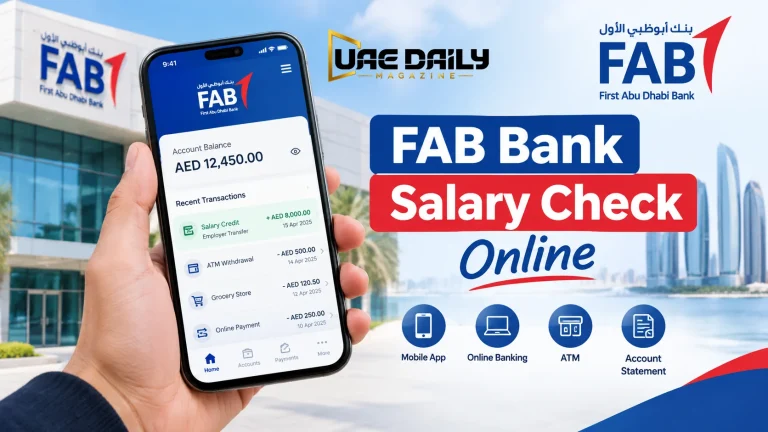
For cardholders who want ongoing access rather than a one-time lookup, the FAB Mobile Banking app also displays PPC card balances alongside any other FAB products you hold. Log in with your credentials, select the prepaid card, and your balance loads on the account screen.
ATM Balance Inquiry
Insert your PPC card at a compatible ATM, enter your PIN, and select Balance Inquiry from the menu. Your balance appears on screen, with the option to print a receipt. No internet is needed. This makes ATMs a dependable backup wherever you are.
SMS Balance Check
SMS balance checking works for cardholders registered with FAB and uses a format tied to their account. Confirm the exact format with customer care rather than guessing, since it varies and getting it wrong wastes a message.
Customer Care / Phone Banking
Call FAB customer care, select the prepaid card or balance enquiry option, and verify your identity to hear your balance read out. It’s slower than the portal. But it works when the portal is down or your Card ID isn’t scanning correctly.
Branch Visit
A branch visit remains useful for anything the portal can’t resolve, such as card replacement, disputes, or updating your registered details. Bring your Emirates ID and the card itself.
Comparison: Which Method Should You Use?
Here’s a quick side-by-side across all six methods.
| Method | Needs Internet? | Speed | Best For |
| PPC Magnati Portal | Yes | Instant | Fastest, no login needed |
| FAB Mobile App | Yes | Instant | Ongoing access, other FAB products |
| ATM | No | Instant | No smartphone/internet |
| SMS | Signal only | Under 1 minute | Weak data areas |
| Phone Banking | No | A few minutes | Portal/Card ID issues |
| Branch Visit | No | Same-day | Card replacement, disputes |
Which Cards Use the PPC System?
The PPC system isn’t limited to one card type. It covers Ratibi salary cards, legacy NBAD prepaid cards, Nafis cards, ADSSA cards, DWallet cards, and Multi Currency cards. Whichever one you hold, the balance-check process through the Magnati portal stays the same.
Say a construction worker has an older NBAD prepaid card from before the merger, while his coworker just got a new Ratibi card this year. Both check their balances through the same PPC Magnati portal, entering their own Card ID each time.
PPC Cards & the Wage Protection System (WPS)
PPC cards exist largely because of WPS, the framework that requires UAE employers to pay wages through approved, trackable channels. The Ministry of Human Resources and Emiratisation oversees WPS compliance, and prepaid payroll cards are one of the approved payment methods under that system.
This matters for balance checks because WPS salary transfers typically follow a predictable schedule. So, flag a missing deposit directly to your employer’s payroll team rather than assuming the portal is broken.
Examples of PPC Card Balance Check in Daily Use
- A domestic worker checks her PPC card balance through the Magnati portal every payday morning, using a shared family phone since she doesn’t own a smartphone.
- A construction supervisor with an older NBAD prepaid card enters his Card ID at ppc.magnati.com to confirm his team’s individual balances before payday questions come in.
- A retail employee uses an ATM to check his Ratibi balance between shifts, printing a receipt for his records.
- A new hire with a freshly issued DWallet card calls FAB customer care to confirm activation before expecting his first salary deposit.
- An office worker searching online for “PPC NBAD balance check” lands on the Magnati portal and realizes it’s the same system as her coworker’s newer FAB card.
Common PPC Card Problems & Fixes
A zero or missing balance is usually a timing issue tied to a recent salary transfer rather than an actual error, so wait a few hours before contacting anyone. Portal errors often trace back to a mistyped Card ID, since the field is unforgiving about extra spaces or misread characters. In my experience, most “the portal isn’t working” complaints turn out to be a Card ID typo rather than an actual system issue. If your balance still looks wrong after rechecking your details, contact FAB customer care first rather than your employer, since the card issuer can see the actual transaction record.
CAPTCHA failures are another common frustration, usually caused by an outdated browser or an ad blocker interfering with the portal’s scripts. Switching browsers or temporarily disabling extensions usually resolves this.
PPC Card Security Tips
Never share your Card ID, PIN, or OTP with anyone, including callers claiming to represent FAB or your employer. Use the official ppc.magnati.com portal and the FAB Mobile Banking app instead of third-party “balance check” sites that ask for your full card details. Keep your registered mobile number up to date with FAB, as SMS alerts and phone verification both depend on it.
Frequently Asked Questions
How do I do a PPC card balance check online?
Visit ppc.magnati.com, enter your card details and Card ID as printed on the card, complete the CAPTCHA, and your balance appears within seconds. No login or registration is required.
Is the PPC NBAD balance check different from PPC FAB?
No, both run through the same PPC Magnati portal, since NBAD merged into FAB in 2017. The card branding differs, but the balance-check process is identical.
What does PPC stand for?
PPC stands for Prepaid Card and refers to the prepaid payroll card system used by FAB and legacy NBAD accounts. It’s sometimes written as PCC by mistake, though PPC is the correct term.
Which cards work with the PPC Magnati portal?
Ratibi salary cards, legacy NBAD prepaid cards, Nafis, ADSSA, DWallet, and Multi Currency cards all use the same PPC Magnati system. You’ll need your Card ID regardless of which one you hold.
Can I check my PPC card balance without internet?
Yes, an ATM balance inquiry works without an internet connection, and SMS checking requires only a mobile signal, not data. Phone banking is also available without internet access.
Is it safe to enter my Card ID on a third-party balance check website?
No, you should only enter card details on the official ppc.magnati.com portal or the FAB Mobile Banking app. Third-party sites that ask for full card numbers are a common way personal data is collected without authorisation.
Where do I find my PPC Card ID?
The Card ID is printed on the back of your physical PPC card, usually near the card number. If you can’t locate it, FAB customer care can confirm it after verifying your identity.
Conclusion
PPC means Prepaid Card. Once that clicks, the rest of this system makes sense. Whether your card says NBAD or FAB, the Magnati portal handles both the same way, and the app, ATM, and phone banking all work as reliable backups. Keep your Card ID handy, and checking your balance takes less time than finding your card.